Best AI Productivity Apps in 2026 (Compared)
We compared the most talked-about AI productivity tools of 2026. From calendar automation to accountability partners to rolling your own with Claude Code. Here's what each one actually solves, and who it's for.
DOOD Team
11 min read
AI reshaped productivity software faster than almost any other category. A few years ago most of these apps were glorified notebooks and task lists. Now they build schedules, summarize meetings, defend your focus time, and reshuffle your calendar the moment a meeting runs long.
The trouble is that "AI productivity app" has stretched so far it barely means anything. One app automates your calendar. Another texts you like a friend who won't let you skip the gym. A third is really a developer tool you wire together yourself. Calling all of them the same thing sets you up to pick the wrong one.
So instead of ranking these on some imaginary universal scale, we've grouped them by the problem they actually solve. Find the row that matches your bottleneck, and the right tool is usually obvious. We've saved the one we build, DOOD, for last, partly because we're biased, and partly because it solves the problem that only shows up after the others have done their job.
Insight
Quick note on method: we use some of these tools daily and have hands-on time with the rest. Pricing and features were checked in July 2026 and move fast, so treat the numbers as a snapshot, not gospel. Where we're summarizing rather than reporting from daily use, we say so.
The landscape at a glance
| Tool | Solves | Best for | Starting price (2026) |
|---|---|---|---|
| Motion | Automatic calendar scheduling | Meeting-heavy professionals | ~$19/user/mo |
| Reclaim | Auto-defending focus time & habits | Knowledge workers in existing tools | Free / ~$8/user/mo |
| Sunsama | Calm, intentional daily planning | Writers, designers, remote workers | ~$20/mo |
| Todoist | Simple, everywhere task management | Anyone who wants a great to-do list | Free / ~$5/mo |
| Notion AI | All-in-one workspace & docs | Tinkerers who want to build a system | Free / AI add-on |
| Claude Code + GCal MCP | A custom scheduler you build yourself | Developers who live in the terminal | Claude sub + free MCP |
| Tomo | Conversational accountability by text | People who won't open another app | Free / ~$20/mo |
| DOOD | Seeing which goals you're actually feeding | Anyone who plans but doesn't follow through | See site |
If your calendar changes constantly: Motion
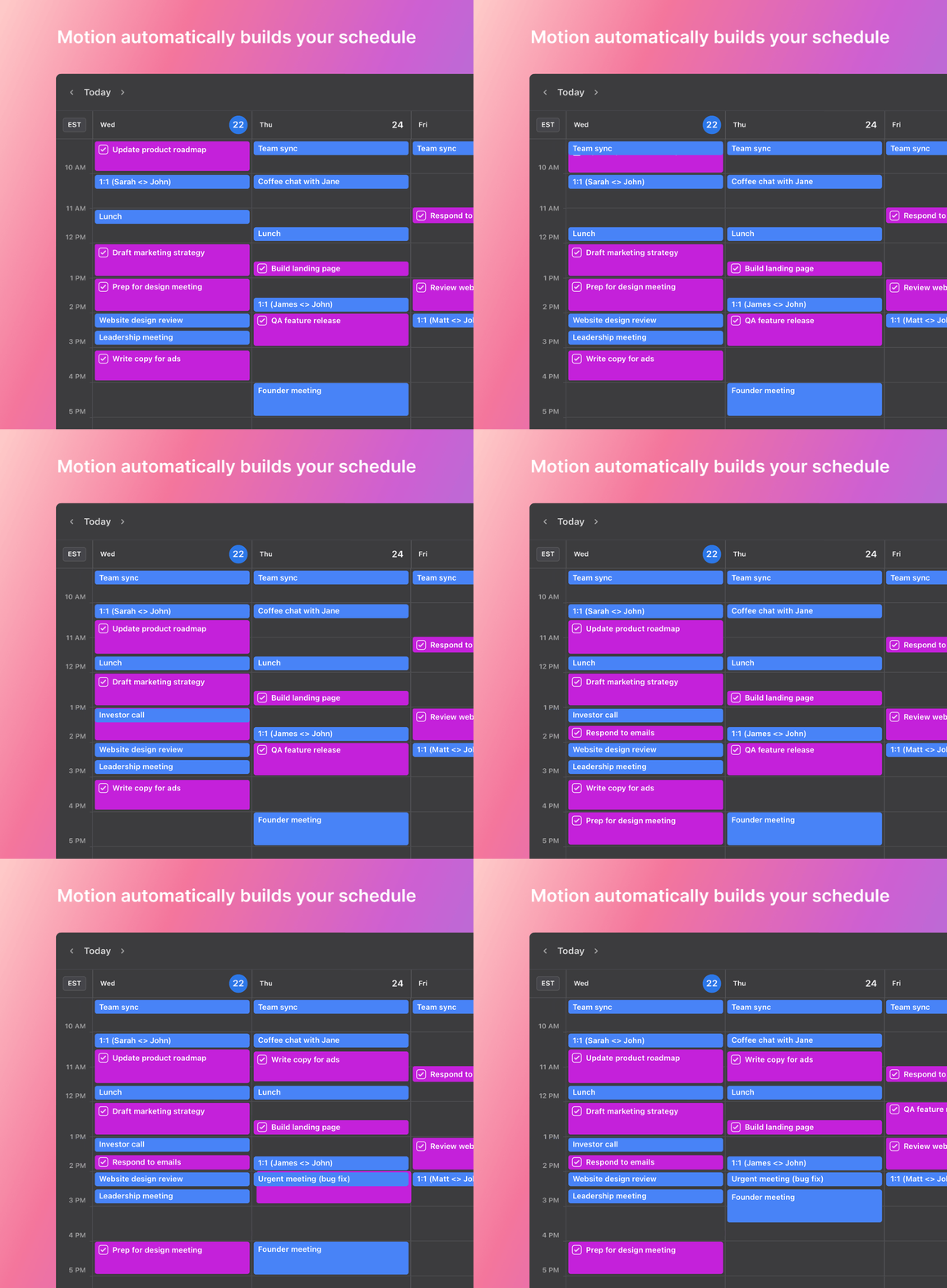
Motion is still one of the strongest AI schedulers on the market. Its signature move is rebuilding your day automatically when priorities shift. A meeting runs long, a deadline moves, and Motion quietly reshuffles everything else to fit the time you have left. If your calendar changes a dozen times a week, it's genuinely hard to beat.
The tradeoff is that Motion solves scheduling and mostly stops there. Once the perfect plan exists, the work of actually doing it still lands on you. It also sits at the premium end of the pricing spectrum, so it earns its keep for people whose days are wall-to-wall meetings and less so for someone with a lighter calendar.
If you want AI scheduling layered on tools you already use: Reclaim
Reclaim takes a lighter-touch approach than Motion. Rather than becoming your whole system, it slots tasks, habits, and focus time into the calendar you already run, and re-defends that time as your week fills up. If you schedule a meeting over a protected block, it finds the next open slot and moves the habit rather than dropping it.
Its real strength is integrations. Reclaim connects to task managers like Todoist, Asana, Linear, and Jira, so it fits into an existing workflow instead of asking you to abandon one. Independent testing in early 2026 put its auto-scheduling accuracy around 85%, with the rest needing a manual nudge. The main knocks against it: it only syncs Google Calendar and Outlook, and the hands-off automation can feel overwhelming if you actually like structuring your own day. Pricing starts free, with paid plans around $8 per user per month.

If you want to slow down and plan on purpose: Sunsama
Sunsama is the near-opposite of the automate-everything crowd. Instead of optimizing your day for you, it asks you to sit down each morning and choose what actually matters, then plan around it. The whole experience is deliberately calm and reflective, which is exactly why writers, designers, and remote workers gravitate to it.
It's one of the best daily planners you can use. It's also, by design, not trying to be an accountability system. It helps you decide what to do today, not make sure you keep doing it next month.
If you just want a great to-do list: Todoist
Todoist has earned trust over more than a decade, and its AI features help sort and organize tasks. But its real strength has never changed: it's simple and it works everywhere. If all you need is a fast, reliable list that syncs across every device, Todoist is one of the easiest recommendations on this list, and one of the cheapest.
If you want to design your own system: Notion AI
Notion AI folds notes, docs, databases, project management, and writing help into a single, endlessly flexible workspace. That flexibility is the whole pitch, and also the catch. Building a personal productivity system inside Notion usually means designing it yourself first.
For people who love customizing everything, that's a feature. For everyone else, "set up my Notion" quietly becomes one more project you never finish.
If you live in the terminal: Claude Code + a Google Calendar MCP
Here's the option most listicles miss. If you're a developer, you can skip the packaged apps entirely and build a scheduling assistant yourself using Claude Code plus a Google Calendar MCP server.
Once connected, you can read events, check availability, create meetings, and cross-reference your schedule in natural language without leaving your editor. "Is my Thursday afternoon clear before I trigger this deploy?" becomes a single prompt instead of a tab-out to the browser. Setup is a claude mcp add command and a Google OAuth flow, and the MCP server itself is free and open-source.
The obvious tradeoff: this is a build-it-yourself path. There's no polished mobile app, no streaks, no gentle nudges. You get exactly the behavior you wire up and nothing more. For the right developer that's the appeal. For everyone else it's a weekend project that a $10/month app already solved.
If you won't open another app: Tomo
Tomo (from Mapo Labs) throws out the dashboard entirely. It's a personal AI that lives in your text messages: you tell it a goal, it remembers, and it texts you first to check in. No app to open, no habit tracker to maintain. The accountability comes to your lock screen. It leans on that proactive check-in to keep momentum from depending on you remembering, and it'll spin up lightweight custom tools like habit streaks or budgets on the fly.
It's a genuinely different feel from the calendar tools above, closer to a friend who remembers what you said you'd do than to a piece of software. The flip side is that a conversational, text-first model is deliberately loose. There's no rich calendar view, no schedule you can see at a glance, and no proof that the work actually happened beyond what you tell it. How much it helps depends on how honestly you reply to those check-ins. Pricing runs free with a Pro tier around $20/month.
The problem that shows up last: DOOD
Notice what every tool above is not doing.
Motion optimizes your calendar. Reclaim defends your time. Sunsama helps you choose your day. Todoist holds your tasks. Notion stores your knowledge. Claude Code lets you build your own. Tomo checks in by text.
Every one of them helps you plan. None of them shows you, at the end of the week, whether the plan actually happened.
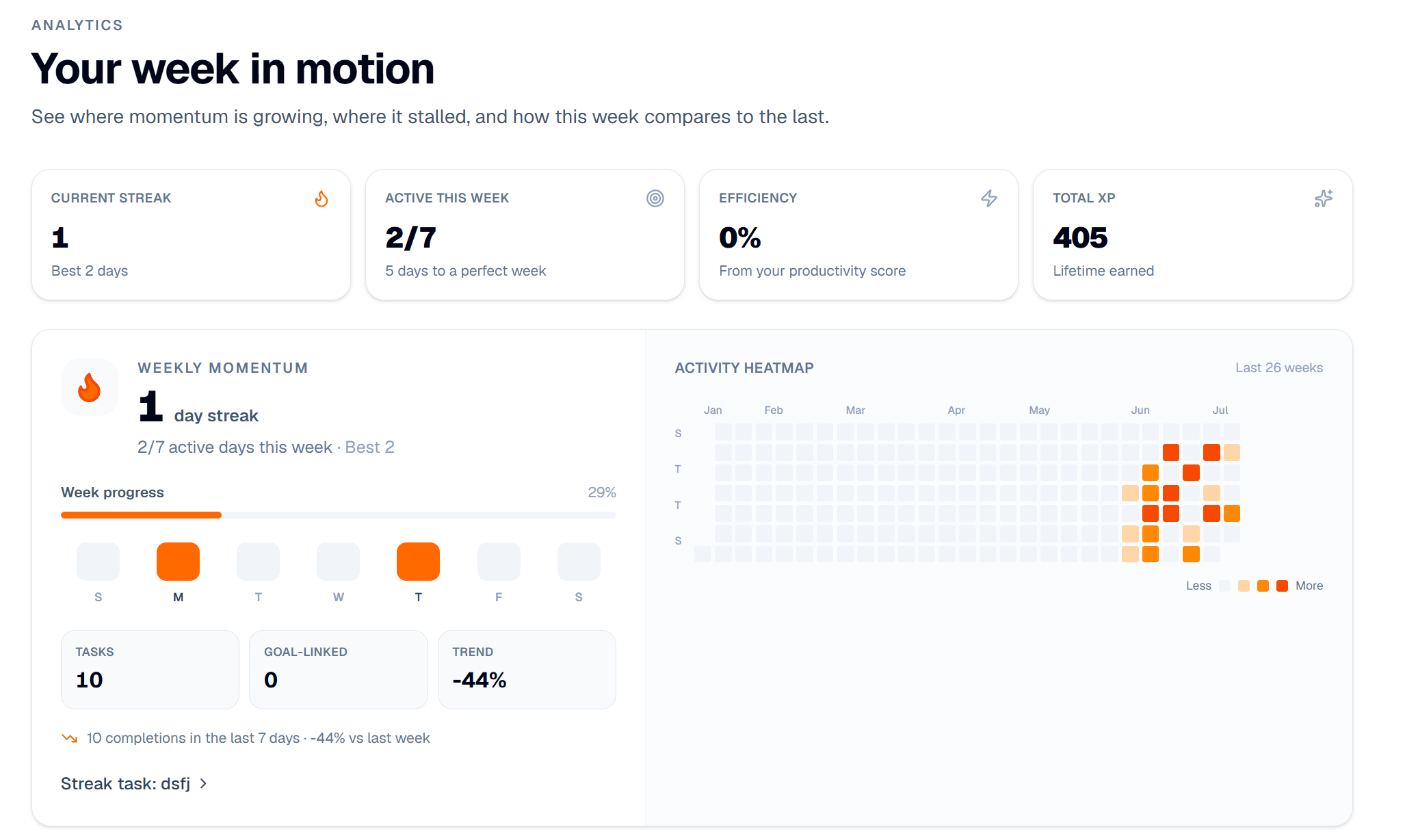
That's the gap DOOD is built for. Think of it as Screen Time, but for your goals instead of your apps. Each goal gets a bar that fills as you feed it, so a single glance tells you the story you usually can't see: the gym got four sessions this week, the job search got zero, the side project is quietly stalling. Most planners can tell you what's next. DOOD is built to show you what you've actually been building, and what you've been neglecting.
Under that hook is a full loop rather than a one-way planner. You describe your goals, DOOD builds a realistic plan around your existing commitments, and then it helps you execute: reminders through the week, a clock-in mode for focused work, and tasks that check off against real sessions. Crucially, it also asks for proof. Completed work, connected integrations like Strava, and session logs all feed back into those goal bars, so progress is something you can verify rather than just claim. Every completed session rolls up into the larger goal and shows on the week view.
The shape of it is simple to say and hard to find elsewhere: plan, do, prove, and see. The planning half of productivity is close to solved. DOOD is built for the half that isn't.
Where it fits
- Students and early-career builders juggling internships, the gym, side projects, or content
- People who respond to external accountability and whose real problem is follow-through, not ideas
The honest tradeoff
DOOD is built for personal consistency, not big-team project management. If you're coordinating a 30-person roadmap, a dedicated PM tool will serve you better. And because DOOD leans on structured goals, execution, and proof, it asks a little more of you up front than a tool you can passively let run in the background. That deliberate friction is the point, but it won't be for everyone.
 DOOD's Analytics Page
So which one should you pick?
Match the tool to your actual bottleneck, not to whichever has the most features:
| If your problem is... | Start with |
|---|---|
| A calendar that never stops changing | Motion |
| Focus time that keeps getting eaten | Reclaim |
| Deciding what actually matters today | Sunsama |
| Just needing a solid task list | Todoist |
| Wanting one workspace for everything | Notion AI |
| Being a developer who wants full control | Claude Code + GCal MCP |
| Never opening a productivity app | Tomo |
| Seeing whether you're actually feeding your goals | DOOD |
Our take
None of these tools are really competing with each other, because they're solving different halves of the same problem. Most of the market has spent its energy on the planning half, with smarter schedules, faster automation, and cleaner calendars. That half is close to solved.
The half that's left is the one that actually decides whether you hit your goals: staying consistent long enough for the plan to matter, and being able to see that you did. We think the next wave of productivity software won't win by building the smartest schedule. It'll win by helping people see the life they're building and keep showing up for it. That's the problem DOOD was built to solve, and it's why we think the gap between planning and doing is the most interesting place to be building right now.